1
2
3
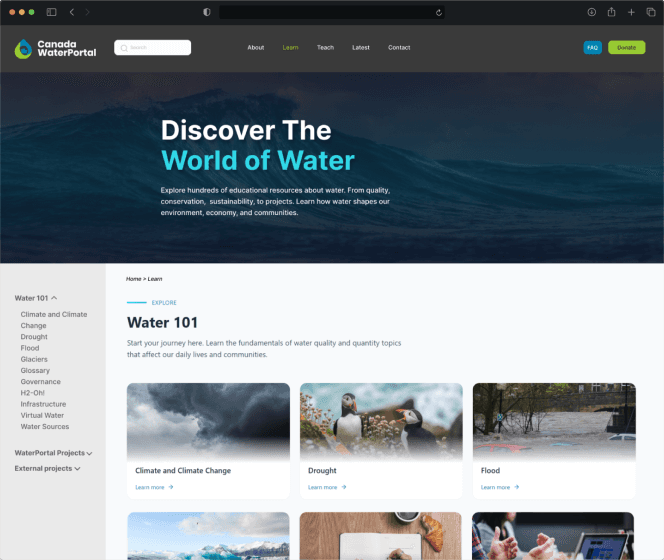
Navigation Overhaul
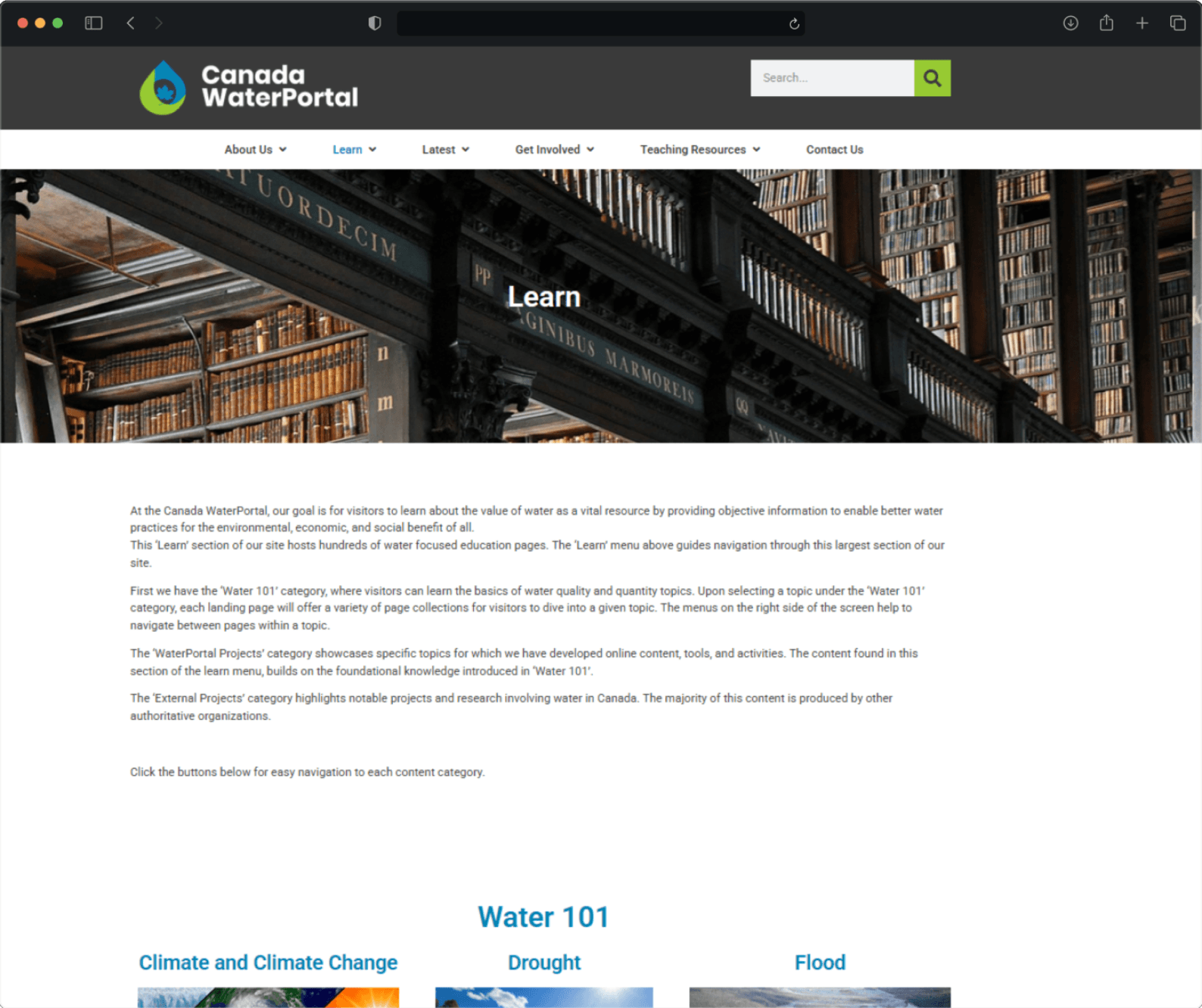
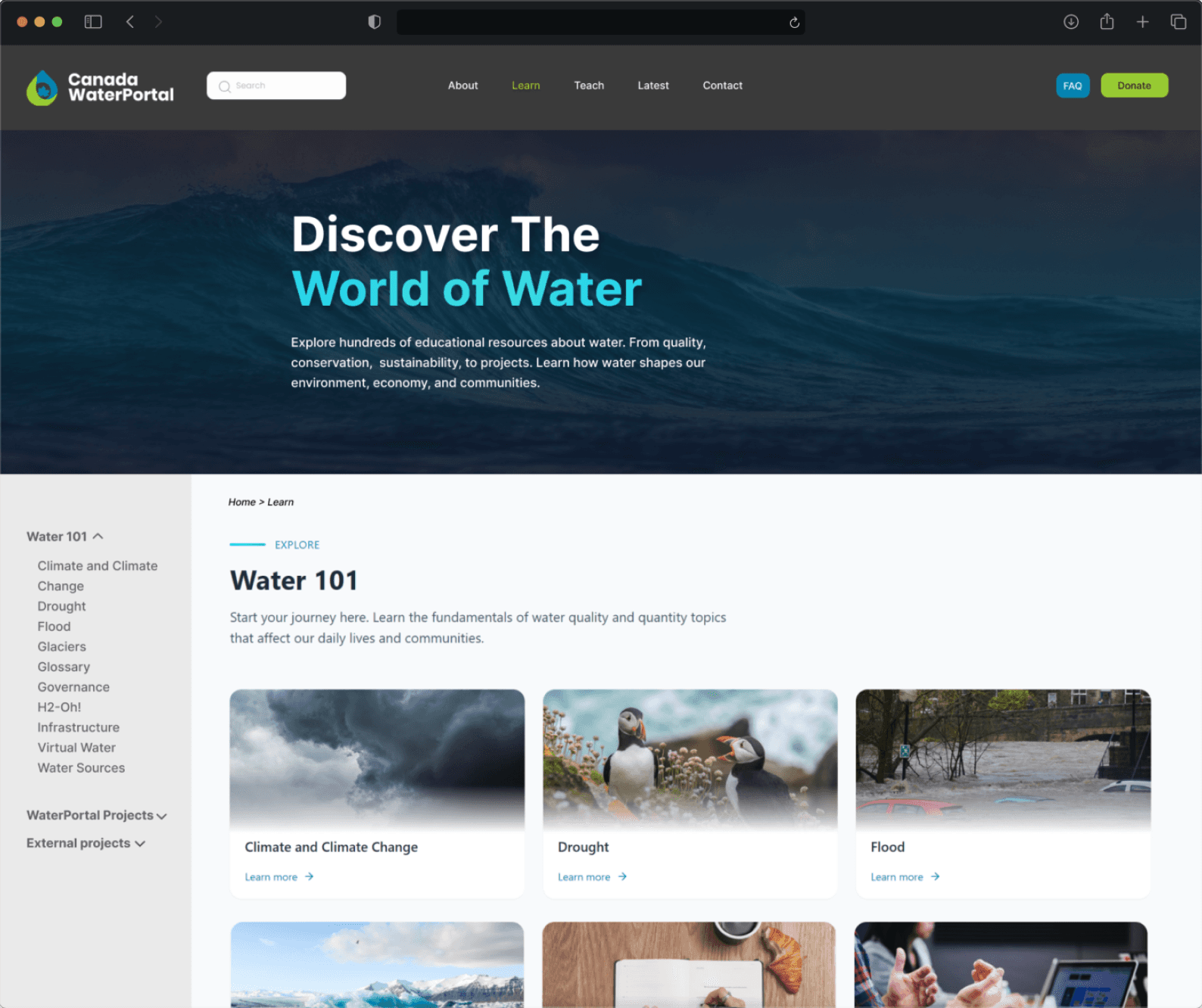
The dual-bar system is collapsed into a single navbar
Items are grouped to reveal deeper content only on demand
A permanent call-to-action and donate button are added to a top instead of a pop-up
Canada WaterPortal
A Usability Study with Low-Fidelity UX Design Recommendations:
- Usability Report
- Website Mockups
Time Frame
2 Weeks
Team
Individual
Deliverables
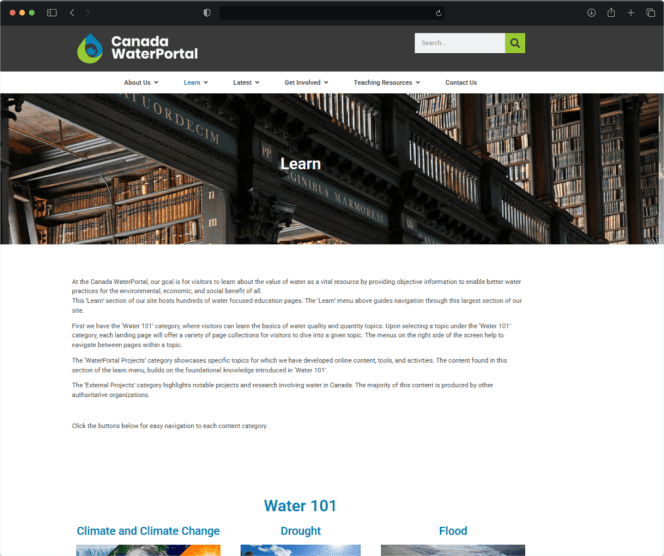
The Canada WaterPortal is a very complex, information-dense website, so when visitors need specific information, it can often be very overwhelming. For this project, I partnered with the WaterPortal to understand the why behind poor information architecture on the site.
There were three key changes that were recommended to improve the site’s usability:
Users struggle to find key resources on the website
Reducing cognitive load is key
PROBLEM
Starting off with research, the engagement began with an exploration of scholarly literature and other writings on usability. It was during this dive, I found key information that would guide the rest of the project:
“87% of users who get the "first click" right in a navigation hierarchy will successfully complete their task, whereas only 46% will succeed if the initial click is incorrect”.
(Sauro, 2011)
“The three click rule is not backed up by research and data, despite being often cited in UX work” (Laubheimer, 2019)
1
A way to achieve an 87% task success rate
WHITE PAPER RESEARCH
To truly understand how a website of this scale should organize information, I took a look at other sites of similar scope. While digging though the internet, I found a number of samples that I used to guide my usability study:
Based on the user tests, if the WaterPortal can fix just 2 problems, the average user experience rating can jump by 30%
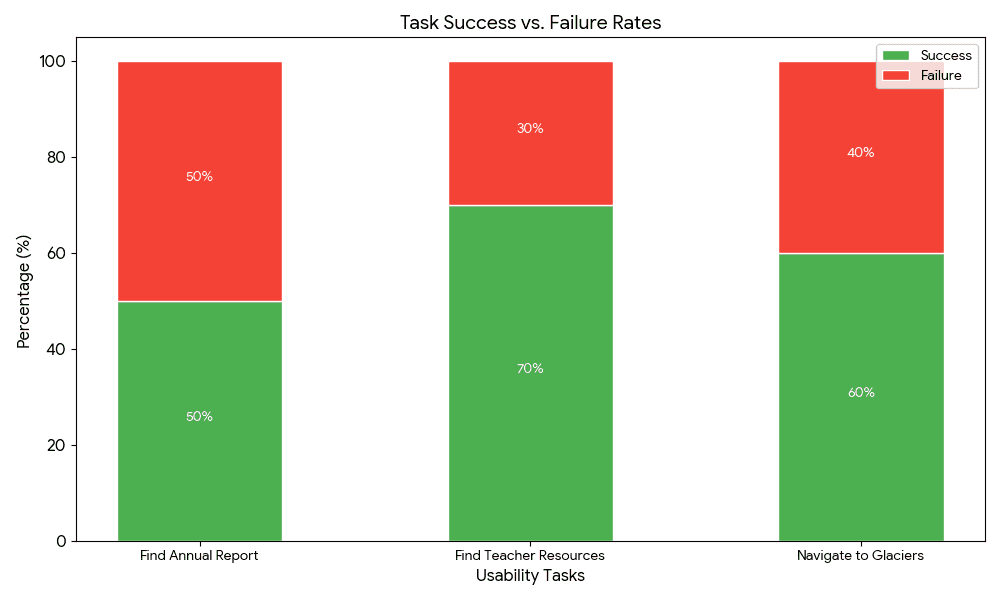
Although I saw from my research that good information architecture was important, I conducted 6 user tests from a wide range of users. Among them were university students, an architect, a geomatics engineer, and an academic. I asked them to complete the tasks below to find patterns of issues, and then I graphed the data.
RESEARCH TASKS:
Locate the annual report.
Find teacher-specific resources: Used to test if category labels were intuitive.
Navigate to the "Glaciers" page: Used to test orientation within deep content layers.
Find a specific data point: Used to see if users preferred navigation or the search bar.
Tell me your overall experience when navigating to specific resources.
This graph shows the task success rate
Those who did it best
AN ANALYSIS OF SAMPLES
Users were 2x more likely to abandon their search
USER TESTING
No critical issues, just 2 small problems
KEY FINDINGS
Although I would say this was a successful audit, here is what I would do better for next time:
I would spend time creating tasks that would be more significant, and yield more important results. The goal is to go beyond surface level results and into deep insights that can guide the design process.
I would also shift from a reactive research style to a more comparative one. I spent a lot of time documenting existing failures, but I realize that I could have strengthened my strategy by bringing in external benchmarks earlier.
Where I would do better
REFLECTION
Measure the success rate of users locating high-value resources like annual reports and teacher materials.
Identify specific friction points where users experience disorientation within the multi-layered navigation.
Evaluate user expectations regarding top-level menu interactions (clickable links vs. static labels).
Quantify the perceived structural difficulty of the site through user-reported complexity ratings.
To audit the site’s information architecutre
STUDY GOALS
SOLUTION
Project Dicipline
User Experience
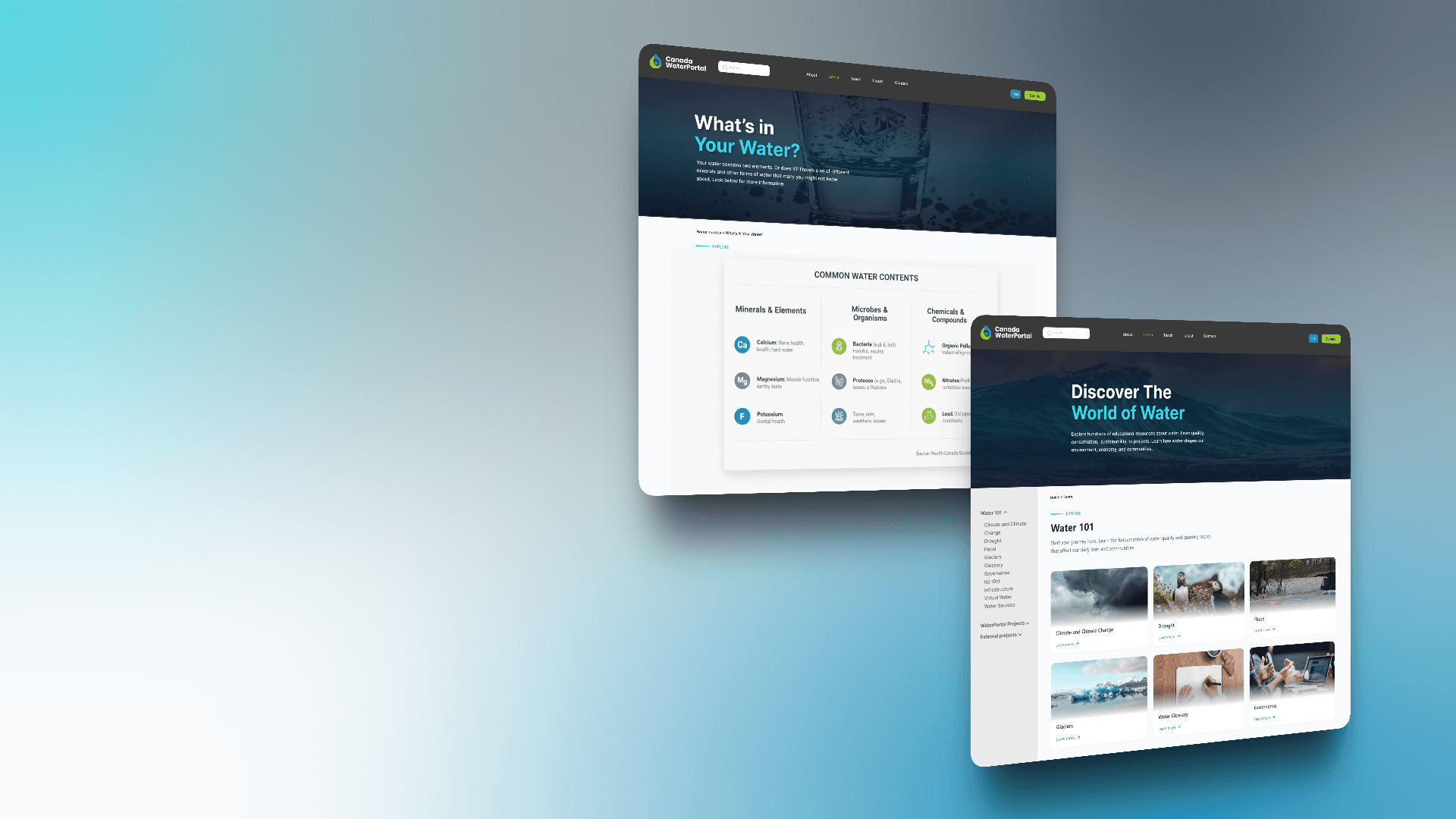
Better Categorization
Clickable menu titles are converted into non-clickable labels
Specific landing links are placed within dropdowns for category overviews
Similar sections are merged into one
Orientation Tools
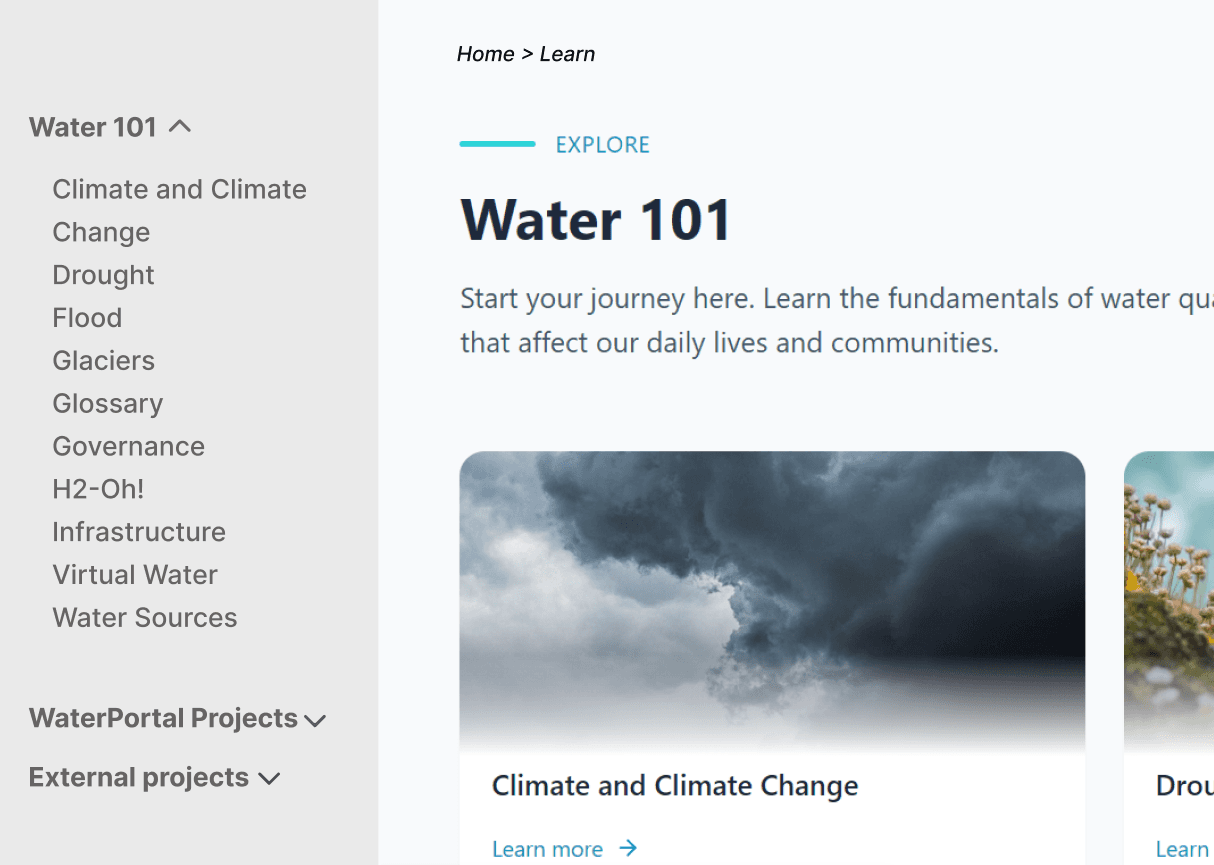
A breadcrumb system is integrated into the site structure
"Jump to specific content" links are added to long pages
1
2
Structural Issues
The dual-bar system created unnecessary clutter
Clickable category titles confused users who expected them to be static labels
Deeply nested content lacked a clear hierarchy
Wayfinding Issues
Users had no visual trail to track their location
Long pages lacked jump-links, forcing excessive scrolling
Search Dependency: Because the navigation failed, users were forced into a search tool that provided irrelevant or overwhelming results.
2
1
2